A family calendar for the wall, on a screen you already own
Paste one calendar link and open your dashboard on any tablet, TV or spare monitor. It rebuilds itself every day, so there's nothing to keep up to date.
Then $39 a year or $6 a month. Or run it yourself, free →
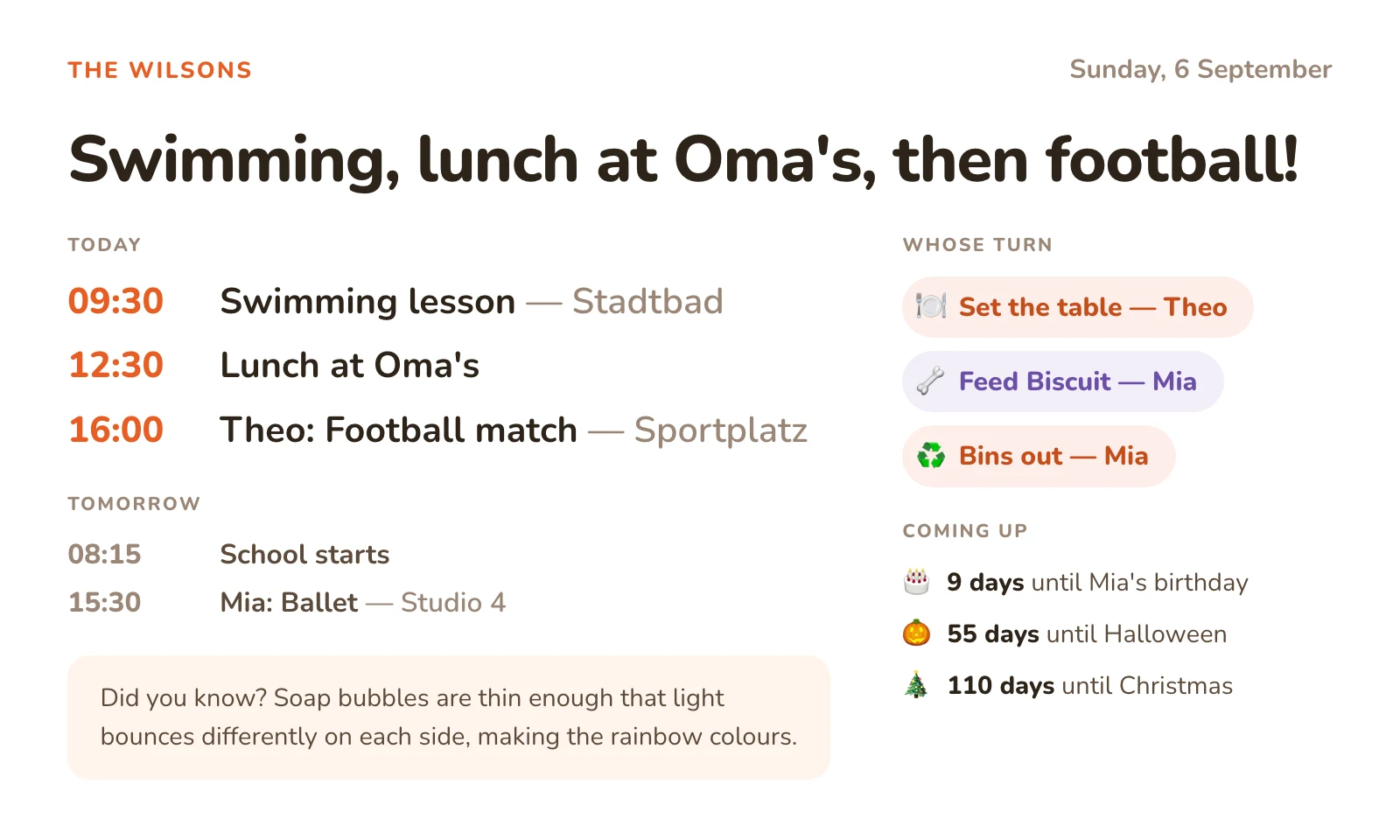
Every screen on this page shows the real dashboard — the same page yours would serve.
Five minutes, then it looks after itself
Three steps, the second one's optional, and the third is opening a web page. After that, the dashboard is the only thing doing any work.
-
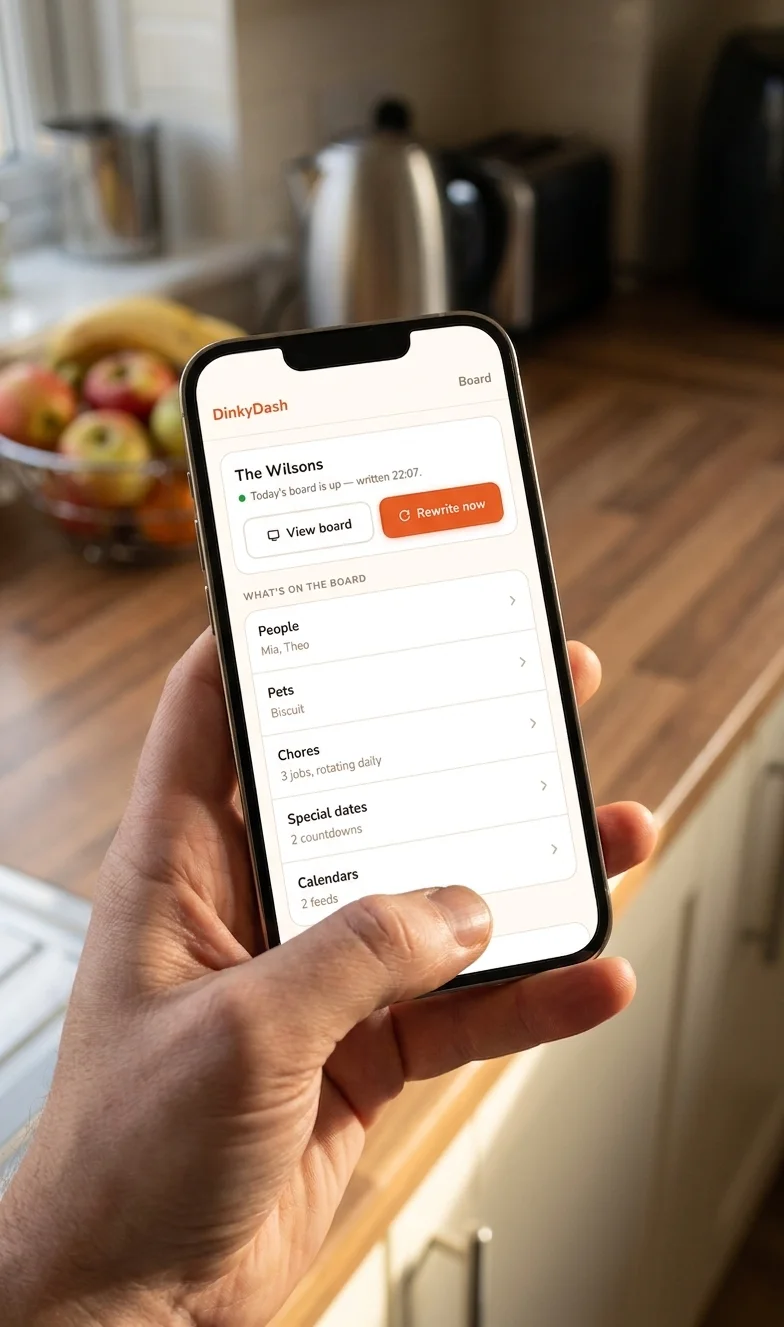
1Paste a calendar link
Give us an email address and we send a link that signs you in and starts your dashboard — no password, and no card. Then paste in a calendar link: Google, Apple, Outlook and Cozi each give you one.
-
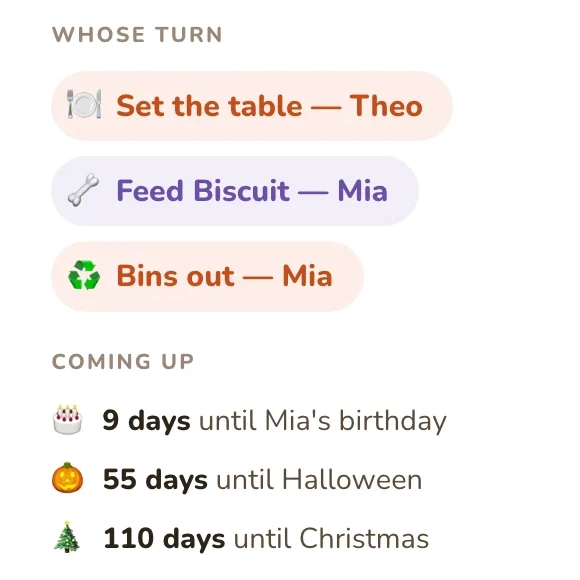
2Name the people and the chores
Optional. Names and birthdays become the countdowns. Each chore passes to the next person every day, so nobody has to arbitrate whose turn it is.
-
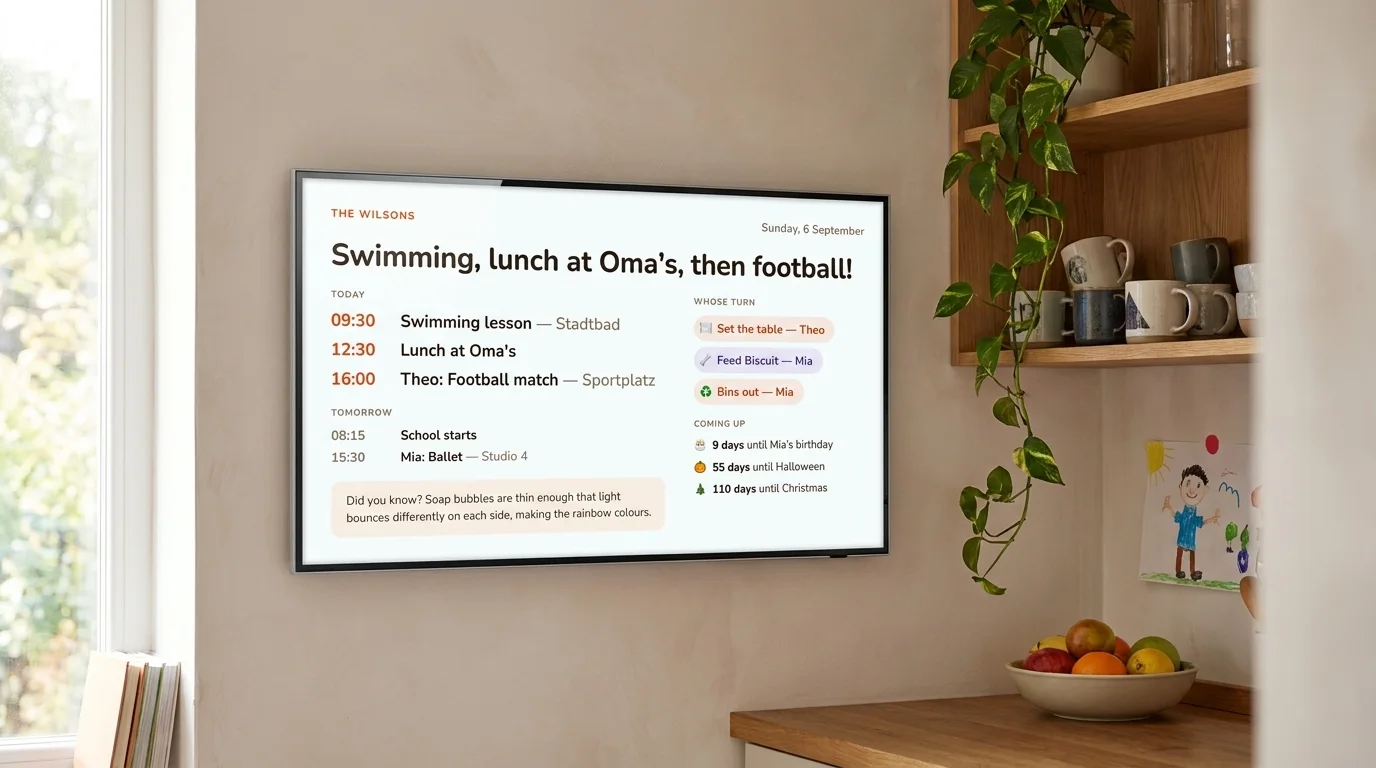
3Open it on a screen
Your dashboard has its own link. Open it in any browser — an old tablet, the TV, a monitor on the counter — and leave the screen on.
There's no app to install and nothing to sign in to on the screen. Once a day, at a time you pick, the headline is written fresh. The agenda comes from your calendars. Whose turn it is, and the countdowns, are worked out from the date. The headline is the only part an AI writes.
There's no layout to build and no account to link on the wall. The dashboard has one layout, and it's already right.
Nothing to tap, nothing to tick
It's fully automatic — no app to open, and nothing anybody has to do daily. Every family organiser dies the same way: set up in January, ignored by March. Here's what this one survives without anyone noticing.
Chores move on the date
There's nothing to tick and nobody to chase. Each chore passes to the next person every day, so the wall is still naming the right name in March with nobody having touched it. If you'd still like one on paper for this week, make a free chore chart and print it.
Countdowns count themselves
Ages and days-to-go are worked out fresh from today's date every time the page loads, so they can't drift. Try the birthday countdown →
One broken link is not a blank wall
If a feed goes missing or a provider changes an address, the rest of the agenda is built as usual and the settings page tells you which calendar failed.
It says when the headline didn't arrive
The times, turns and countdowns are still today's, because they're worked out as the page loads. The headline is one worked out from the day, and a banner says so rather than leaving yesterday's headline up.
The rest of the category is running the other way — tap-to-complete, points, rewards, child locks. Those are apps on a wall, and apps on a wall need feeding. This is a poster that updates itself.
Yours to keep
Every other family calendar puts a company between you and your own week. Companies raise prices, move features behind a subscription, and close.
Buy the screen, then rent the features
Skylight sells the 15″ Calendar from $299.99. Photo Screensaver, Meal Planning, Magic Import and Rewards aren't included — they need Plus, at $79 a year.
Stop paying, and they stop.Or the subscription isn't optional
Hearth Display lists at $699, and the membership is required: $9 a month, or $86.40 a year. Routines, rewards and meal planning go with it if it lapses.
Nearly $800 in year one.Or the company simply closes
Maple, a family organiser app, was acquired and shuts down on 31 December 2026. Nothing its customers did caused that, and nothing they could have done would have stopped it.
This happens.DinkyDash is MIT-licensed and public, and the hosted version you're being offered is built from that same repository. The code can't be taken back.
Which is the honest pitch for the $39: you're not paying us to hold the keys, because there are no keys. You're paying us to run the machine and pay the AI bill. The day you'd rather do that yourself, the code is right there: set it up on your own machine and point your screens at it.
Competitor prices and features checked 9 October 2026. Skylight and Hearth are good products — you just might not need the hardware.
Bring your own screen
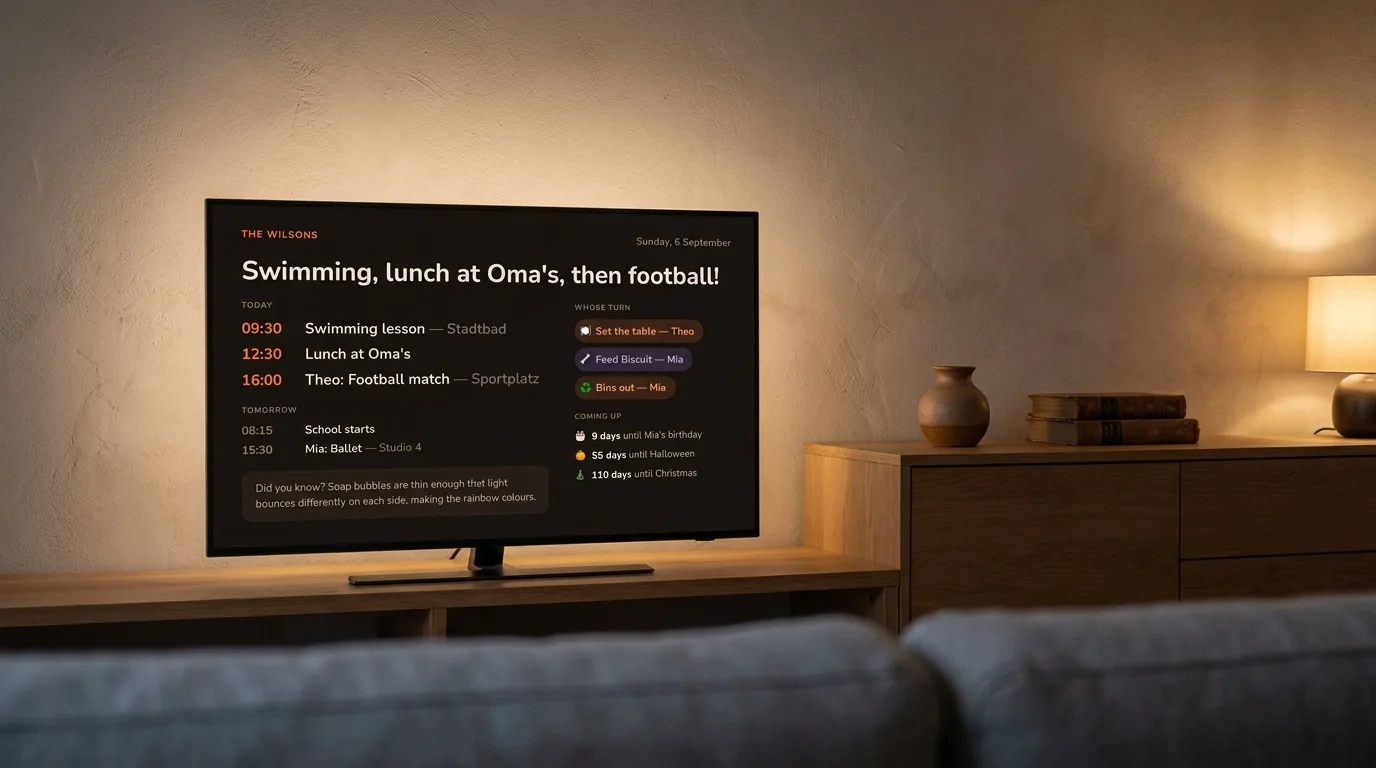
DinkyDash is a web page. Anything with a browser becomes the family dashboard — and it measures the screen it lands on, so it fits whatever you point at it.
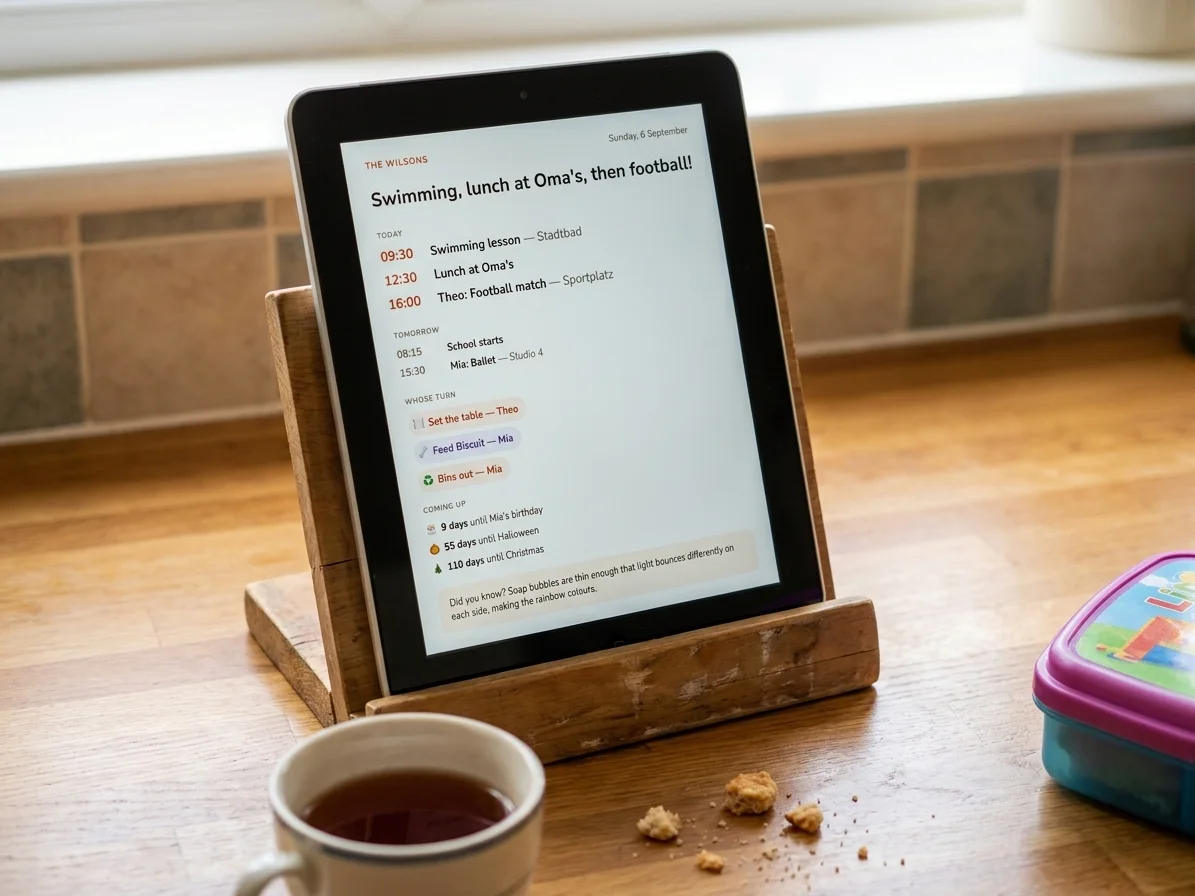
An old tablet
The retired iPad or Fire tablet in the drawer becomes a kitchen calendar in ten minutes.
Any TV
Open your dashboard in the TV browser or cast it. Dark mode keeps the living room calm.
A Raspberry Pi
The classic wall build. Point its browser at your dashboard's link and leave it there.
A spare monitor
Prop it on the counter, point a browser at your dashboard's link, done.
A screen nobody touches, that's right when you walk past it. You're not buying a tablet for the fridge — you're giving one a job.
A headline, written fresh each day
Claude reads the day ahead and writes one line for the top of the dashboard. A busy morning gets a busy headline. An empty day is called an empty day.
Swimming, then football — a full day.
A busy TuesdayTerm starts tomorrow. Last quiet one.
The day beforeNothing on today. Enjoy it.
An empty SundayOn a genuinely empty day it says so, rather than inventing excitement. The agenda, the turns and the countdowns are the rest of the screen.
Illustrative headlines, written the way the real one is. No real family's data appears anywhere on this site.
No adverts, no camera, nothing sold
The dashboard holds your children's names, their birthdays and your week. Here's exactly where that goes.
There's no camera and no microphone, because it's a web page. We keep your settings so we can build the dashboard each day, and once a day the day's events, with first names, ages and interests, go to Anthropic so Claude can write the headline. None of it goes anywhere else, nothing is sold, and there are no adverts.
You can export the lot and delete the account whenever you like, and the code that touches all of it is public. The privacy policy names every company involved, which is a short list.
Two ways to have it
It's the same dashboard either way. The only difference is who keeps it running.
You host it.
- Runs on a laptop, an old PC or a Raspberry Pi
- Up in a few minutes. A wall-mounted Pi is an afternoon.
- Bring your own Anthropic key — it's under a dollar a month
- We never see any of it. Your machine, your key.
- Community-supported, on GitHub
We host it.
- Nothing to install, nothing to keep alive
- We fetch your calendars and write the daily headline
- The AI bill is ours, not yours
- One link, and every screen in the house can use it
- Change anything from your phone
- Nothing is charged unless you choose to subscribe
It's the same public code underneath. You can download your data as a file whenever you like, and if you'd ever rather run it yourself, the self-hosted version is free. Moving over means setting it up again on your own machine; there's no import.
Common questions
What happens after the 14 days?
You can subscribe for $39 a year or $6 a month. We'll email you three days before the trial ends, and nothing is charged unless you pay in Checkout. If you don't, your dashboard stops updating and says so.
Do I need a card?
No. You give us an email address, we send you a link, and that's the whole sign-up. We don't ask for a card then. You only enter one later, in Checkout, if you choose to subscribe — and we don't keep the card details.
What do I have to buy?
Nothing. DinkyDash is the software, not the screen, so it runs on whatever you've already got with a web browser: an old iPad or Android tablet, a smart TV, a spare monitor, a laptop on the counter, or a Raspberry Pi with a touchscreen. The dashboard measures the screen it lands on and sizes itself to be read from across the room.
Does it work with Google, Apple and Outlook calendars?
Yes, all three, and Cozi as well. Each of them lets you share a calendar as an iCal link, and that link is what DinkyDash reads. You paste it in, so there's no sign-in to grant and no app to install on the screen. Connect several and they're merged into one agenda in time order.
Where do my children's names and birthdays go?
They're stored so we can build your dashboard each day, and the day's agenda goes to Anthropic so Claude can write the daily headline. Nothing is sold, there are no adverts, and there's no camera and no microphone anywhere in this. If the calendar you connect also holds work and private appointments, you can limit it to the events shared with your partner, and the rest is never stored and never sent.
How is this different from a Skylight or a Hearth?
Skylight and Hearth sell you a dedicated touchscreen ($299.99 for Skylight's 15-inch, $699 for a Hearth), with a subscription on top that's optional at Skylight and required at Hearth. DinkyDash is just the software, running on a screen you already own, and nothing on it can be taken away later. It also does something they don't: a headline written fresh each day, about what's actually on.
Can I run it myself instead?
Yes, and that won't change. DinkyDash is open source and MIT-licensed, and the hosted version is built from the same repository, so they're one dashboard with a different person keeping it running. The commands are at the foot of this page. Self-hosting is free for ever, needs your own Anthropic key at well under a dollar a month, and is community-supported rather than something we promise to fix.
What happens to my dashboard if DinkyDash goes away?
If you self-host, nothing happens: the code is MIT-licensed and already on your machine, so it keeps running whether this project continues or not. If we host it for you, you can download your data as a file at any time, and the code stays public, so you could set the same dashboard up on your own machine. That's a fresh setup, not an import, and your screens would need the new address.
Will features I have today ever move behind a subscription?
Not for anything already released. Everything on the dashboard today is MIT-licensed, and that grant can't be withdrawn for code that's already out, so a copy you're running stays yours to run. The hosted version is a convenience: we run the machine and pay the AI bill. It isn't a key to features you'd otherwise lose.
For makers
Here’s what “You host it” actually involves: the same repository, on your own machine, free for ever.
DinkyDash has been open source since 2021, and self-hosting isn't a demo of it — it's the same code the hosted version runs, for one family. You can have the real dashboard on your own machine in about two minutes, with no API key and nothing to pay for:
git clone https://github.com/caspii/dinkydash.git
cd dinkydash
python3 -m venv venv && source venv/bin/activate
pip install -r requirements.txt
cp config.example.yaml config.yaml
python sample_board.py && python app.py
That serves the dashboard on localhost:5000, with an invented family and a canned daily headline. Add your own calendar links from /settings, and an Anthropic key when you want the real one — it runs once a day and costs well under a dollar a month.
What to know before you do
Setting up a Raspberry Pi is an afternoon rather than five minutes: systemd, kiosk mode, a screen schedule. There's no login — the dashboard and the settings page are both served without authentication, on the assumption they sit on your home network like a printer, so keep the port off the public internet. And self-hosting is community-supported: issues and pull requests are welcome, but there's no support commitment.
Put it on the wall this week
Paste a calendar link, open it on the screen you already own, and leave it there. Free for fourteen days, and we don't ask for a card.
Then $39 a year or $6 a month. Already have an account? Sign in.