The 8 Best Skylight Calendar Alternatives in 2026
The Skylight Calendar is a lovely idea: your family's schedule, big and glanceable, on the kitchen wall. But between the hardware ($299.99 for the 15″ Calendar 2, $599.99 for the 27″ Calendar Max) and the optional $79/year Plus subscription for features like meal planning and chore rewards, plenty of families go looking for alternatives before checking out.
The good news: you have real options — including some that cost nothing because they run on a screen you already own.
Quick comparison
| Alternative | Hardware cost | Subscription | Bring your own screen? |
|---|---|---|---|
| DinkyDash | $0 | None self-hosted; hosted $39/yr or $6/mo after a free 14-day trial | Yes |
| Mango Display | $0 | Free tier (no calendar); Pro $5.99/mo | Yes |
| DAKboard | $0 | Free tier; $5–10/mo | Yes |
| Hearth Display | $699 | $9/mo ($86.40/yr) | No |
| Cozyla | From $169.99 | Core free; optional $79.99/yr | No |
| Dæly | €299 | None | No |
| Cozi | $0 (phone app) | Free with ads | No wall display |
| Google Calendar on an old tablet | $0 | None | Yes |
Prices checked 9 October 2026 — always confirm current pricing before buying. Dæly is sold in euros and ships from Germany.
1. DinkyDash — open source, free to self-host or $39 a year hosted
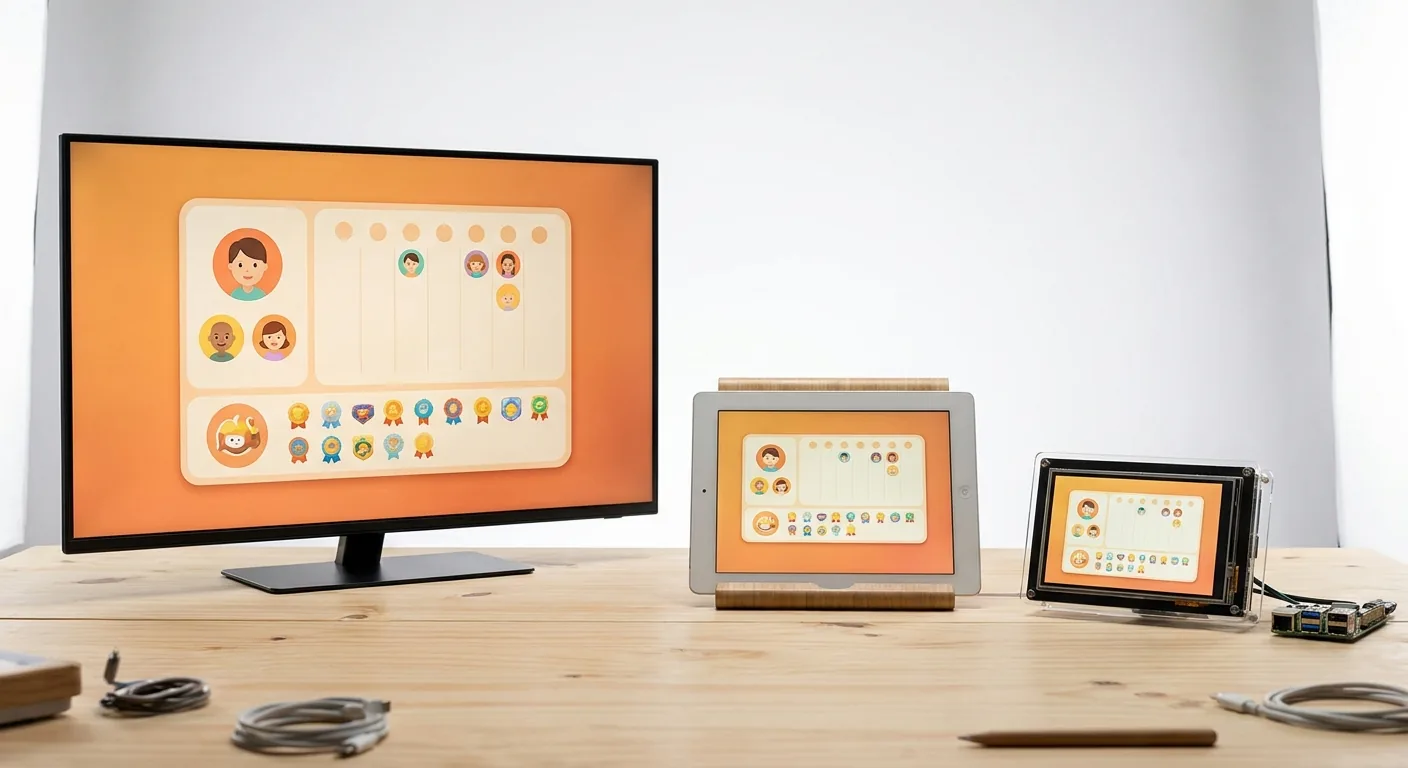
Full disclosure: DinkyDash is our project, so we're biased — but it exists precisely because we wanted a Skylight without the hardware bill. DinkyDash turns any TV, tablet, Raspberry Pi, or spare monitor into a family calendar with a daily chore rotation, birthday countdowns, and something no other option here has: a daily message written by AI, fresh every day, written around your family's actual day.
It works with the calendars you already keep: Google Calendar, Apple iCloud Calendar and Outlook each publish a sharing link, and DinkyDash reads all three into one agenda in time order. You paste the link — there's no account to sign in to. We have the steps for Google, iCloud, Outlook and Cozi.
It's MIT-licensed and free to self-host, which means being comfortable with a terminal for an afternoon. Our getting started guide walks you through it. You can also start a free 14-day hosted trial, with no card required.
Best for: families who want $0 hardware. Self-host it for free if there's a tinkerer in the house, or let us host it if there isn't.
2. Mango Display — polished BYO-screen software
Mango Display is a commercial take on the same idea: install their app on a smart TV, Fire TV, or tablet and it renders a calendar-centric smart display with widgets for photos, weather, and to-dos. There's a free tier, but read it before you rely on it: the free plan gives you two screens with a clock, weather, news headlines and background images, and no calendar at all. Calendars — along with chores, meal plans and photos — start on Pro, at $5.99/month or $59.99 a year.
Best for: families who want bring-your-own-screen without any DIY at all.
3. DAKboard — the customizable wall display veteran
DAKboard has been the DIY wall-display favourite for years — calendars, photos, weather, and news on any screen, with deep layout customisation. Free for one predefined screen with two calendars; $6/month (or $5 billed annually) unlocks custom layouts, and $10/month adds unlimited calendars. It leans "information display" rather than "family organiser", though it now markets a chore chart with points and rewards on the paid plans. If it's the one you're weighing up, we compared it properly on the DAKboard alternatives page, and put it directly against Skylight in DAKboard vs Skylight vs DinkyDash.
Best for: data-dense household dashboards and tinkerers who want full layout control.
4. Hearth Display — the premium hardware rival
If what you actually want is nicer dedicated hardware, Hearth's 27″ portrait display ($699 + $9/month, or $86.40 a year) focuses on routines and visual schedules — it's especially popular with ADHD and neurodivergent families. It costs more than Skylight over time, but the routine-building features are genuinely different. See our full Hearth vs Skylight comparison.
Best for: families who want routines and to-dos front and centre, and don't mind the price.
5. Cozyla — hardware without the monthly fee
Cozyla sells digital calendar displays from $169.99 on a "no monthly fees" pitch, and the core really does work without one — calendar sync, chores, routines and notes are all free on the device. Read the checkout carefully, though: the Calendar Neo ships with a 30-day trial of an optional Calendar Essential plan that auto-renews at $79.99 a year, and that is where meal planning, custom screensavers and the AI voice agent live. Build quality and app polish get mixed reviews compared to Skylight, but "pay once" is still a compelling pitch.
Best for: families set on dedicated hardware who refuse subscriptions.
6. Dæly — the one-time purchase, if you're in Europe
Dæly is a 15.6″ touchscreen family calendar sold from Germany for €299 (list price €349), with no subscription at all — the company's own line is that every feature you get on the day you buy stays free. It syncs with a free iOS and Android app, arrives with a stand and an integrated wall mount, and keeps your data on German servers under GDPR.
The catch for most readers of this page: the shop, the app and the support are in German, prices are in euros, and it ships from Germany by DHL. In the US the options above are far easier to buy. In the German-speaking market it's the closest thing here to a Skylight without the subscription.
Best for: German-speaking families who want dedicated hardware, one payment, and their data held in the EU.
7. Cozi — the free app (no wall display)
Cozi is the most popular shared family calendar app: free, cross-platform, with shopping lists and meal planning. There's no wall-display product — it lives on phones. Some families genuinely don't need the wall screen; if that's you, start here before spending anything.
Best for: families who just need shared scheduling on phones.
8. Google Calendar on an old tablet — the zero-dollar DIY
Mount an old tablet on the wall, open Google Calendar in kiosk/fullscreen mode, done. It's free and takes ten minutes. The downsides: no chore charts, no countdowns, no kid-friendly layout, and tablets sleeping or logging out at the worst moment. It's the baseline every option above is trying to beat — and why we built a friendlier version of exactly this.
Best for: testing whether your family will actually look at a wall calendar, before investing anything.
Which one should you pick?
- Want $0 and no subscription, don't mind an afternoon of setup: DinkyDash
- Want BYO screen with zero setup: Mango Display
- Want maximum layout control: DAKboard
- Want premium dedicated hardware: Hearth (routines) or stick with Skylight (calendar + meals)
- Want hardware but no subscription: Cozyla, or Dæly if you're buying in Europe
- Not sure you need a wall display at all: Cozi on your phones, or the old-tablet test
Last updated 2026-10-09.