Turn an Android Tablet Into a Family Calendar Display
Yes — and it's the cheapest good wall calendar you can build. An Android tablet already has a screen, a browser and a charging port, which is the entire hardware requirement. Old ones are abundant and cost about $50 used, so this is the version of a $600 family display that costs almost nothing.
What you need
DinkyDash is a web page, not an app you install. So there are two parts:
- Something to serve it. A Raspberry Pi or an old computer on your Wi-Fi — free, MIT licensed, and about an evening's work. Or start a free 14-day hosted trial, no card required.
- The tablet, which is the screen. It opens that address in Chrome.
Nothing goes through the Play Store, and there's no Google account to sign in to.
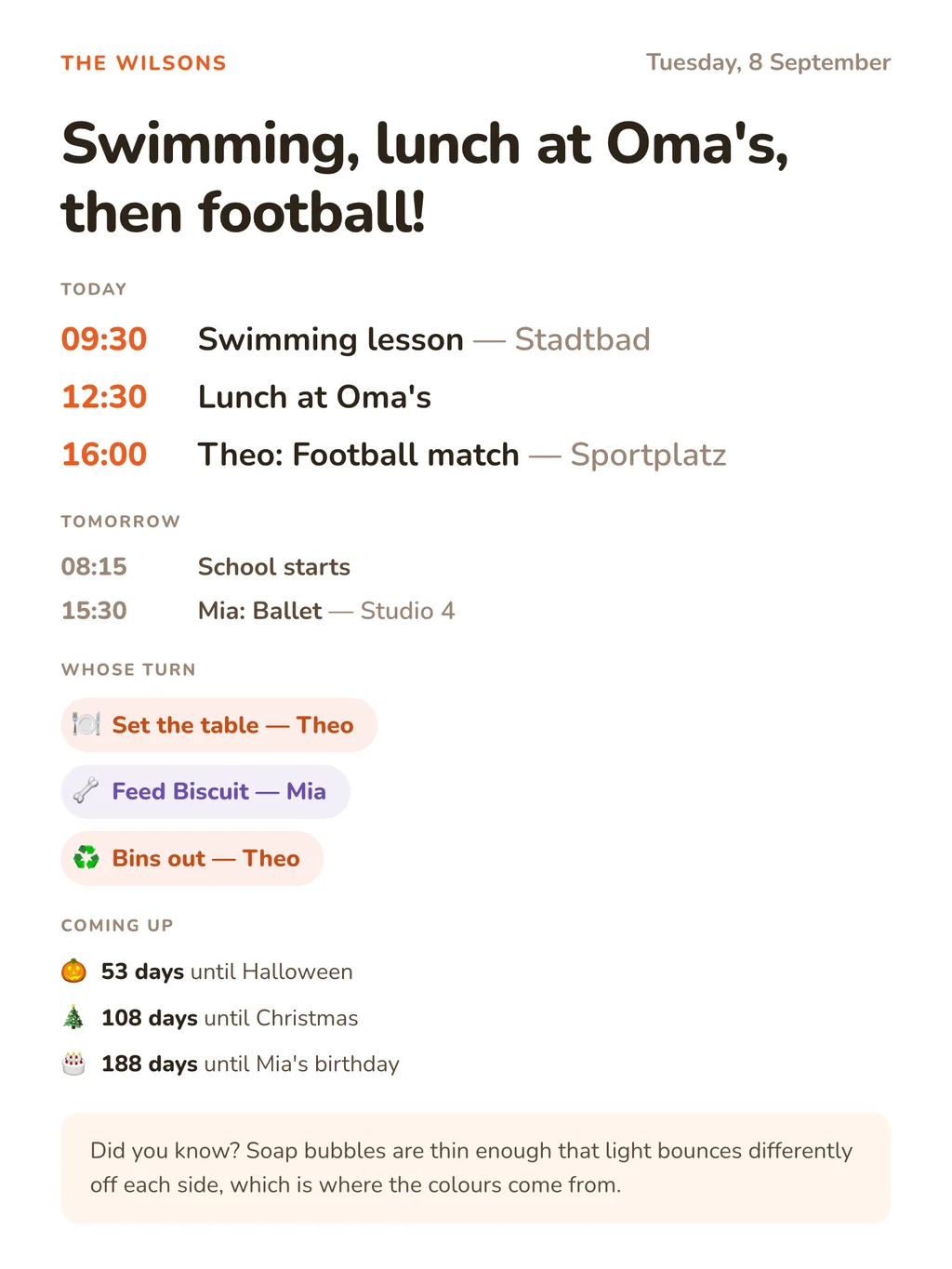
The dashboard reads the shape of the screen: one column on a tall display, two on a wide one. So a tablet standing upright looks like the picture above, and one lying on its side splits the agenda and the chores into two columns.
Set it up
1. Open the dashboard in Chrome. If we host it, that's the screen link under Settings → The screen, where there's a QR code too, so you don't have to type it. If you run it yourself, it's the address of the machine serving it on your network, something like http://192.168.1.50:5000.
2. Add it to the home screen. Chrome menu → Add to Home screen. Launched from there the dashboard runs full screen, with no address bar, and gets the DinkyDash icon and your family's name.
3. Stop the screen sleeping. Settings → Display → Screen timeout → the longest option. That's usually 30 minutes, which isn't enough on its own, so also turn on Stay awake while charging in Developer options. (Developer options appear after tapping Build number seven times under About tablet.)
4. Leave it plugged in, brightness down to about a third. A right-angled USB cable and an adhesive wall mount are the usual answer.
When you want it locked down properly
The steps above give you a tablet showing a calendar. They don't stop a child swiping out of it, and Android's own screen timeout will fight you on some devices.
Fully Kiosk Browser is what most people end up with. It holds the screen on regardless of Android's timeout, hides the status and navigation bars, locks the tablet to one address behind a PIN, and can switch the screen off overnight and back on before breakfast. There's a free version, and a one-off paid unlock for the locking features. Point it at the same address and you're done.
That's the only extra piece of software in this whole build, and it's optional.
What ends up on the screen
- Today's events, merged from every calendar you add: Google, iCloud, Outlook and Cozi each publish a link, and each has its own page here with the steps.
- A chore chart that rotates, moving on one person a day by itself.
- Countdowns to birthdays, Christmas and the school holidays.
- A headline, written fresh each day by Claude, around your family's actual day.
The dashboard refreshes itself every five minutes. If the Wi-Fi drops, it keeps the last dashboard on screen with a small "Reconnecting" note rather than an error page, and catches up when the connection returns; with JavaScript switched off it falls back to a plain HTML refresh. Nothing to tap, nothing to maintain — you keep editing events in your normal calendar app and the wall follows.
What it costs
| A tablet already in a drawer | $0 |
| A used Android tablet | ~$50–80 |
| DinkyDash | Free to run yourself (MIT); hosted $39 a year or $6 a month after a 14-day trial |
| The AI headline | ~$0.13/month, and optional |
A Skylight Calendar is $299.99 to $599.99 plus an optional $79 a year for the same wall. Prices checked 9 October 2026. The best digital family calendar page puts them side by side.
Buying a tablet for this? Screen size matters more than speed. The dashboard is a static page that redraws every five minutes, so a slow tablet is fine; a small or dim one isn't. Ten inches or more, and check the screen is bright enough to read across a kitchen.
Other screens
- iPad — the same idea, with Guided Access to lock it properly
- Raspberry Pi — the tidiest permanent panel, about $150
- Smart TV — works, but the screensaver fights you
- Fire TV — for the living-room television
- Echo Show — the one that doesn't work, and why
Start here
The setup guide covers the other half: getting DinkyDash running, adding your calendars, and pointing the tablet at it. The code is on GitHub under an MIT licence.
Rather skip the setup? Start a free 14-day hosted trial, no card required.
Last updated 2026-10-09.