Echo Show as a Family Calendar Display: What Works, and What Doesn't
Two different questions get asked here, and they have opposite answers.
"Can an Echo Show show my family calendar?" Yes — through Alexa's own calendar feature, which links to Google, Microsoft and iCloud. That works well and is the right route.
"Can I leave a web dashboard running on an Echo Show?" No, not reliably. The built-in browser closes itself after about ten to fifteen minutes without input and drops back to the home screen, and Amazon gives you no setting to stop it.
We make a web-based family calendar, so the second answer is the inconvenient one for us. It is still the answer.
The route that works: link a calendar to Alexa
This has nothing to do with us and it's what most people asking the question actually want.
- Open the Alexa app on your phone.
- Go to More → Settings → Calendar.
- Connect a Google, Microsoft or Apple iCloud account.
The Echo Show then shows those events on its home screen, answers "what's on today?", and adds events by voice. On an Echo Show 15 or 21, the calendar widget on the larger screen is genuinely a decent kitchen display.
What it won't do is rotate a chore chart, count down to birthdays, or write you a line each morning. It shows a calendar, competently.
The route that doesn't: a web dashboard in Silk
The Echo Show has Amazon's Silk browser built in, so you can type a URL and a page will load and fill the screen. For about a quarter of an hour.
Silk on Echo Show closes itself after roughly ten to fifteen minutes of no input, returning to the home screen. This is widely reported by people trying to run exactly this kind of dashboard, and Amazon's own support position is that the timeout can't be switched off. Workarounds circulate — pages that play a silent audio loop to convince the device something is happening — and they are fragile, undocumented, and can stop working with any firmware update.
We aren't going to tell you to build a kitchen wall panel on that. A wall panel has one job, which is to be right there when you glance at it.
What to use instead
A cheap tablet, mounted where the Echo Show is now. It costs less, it stays on the page you put it on, and both major platforms have a built-in way to lock it there:
- An old iPad — Guided Access locks it to one page behind a passcode, and Auto-Lock set to Never keeps the screen on. This is the best version.
- An Android tablet — the same idea, and second-hand ones cost about $50–80.
- A Raspberry Pi with a small screen — about $150 in parts, and the tidiest permanent panel of the three.
Keep the Echo Show for what it's good at: voice, timers, music and a glance at the calendar Alexa already knows about.
What you get on the tablet instead
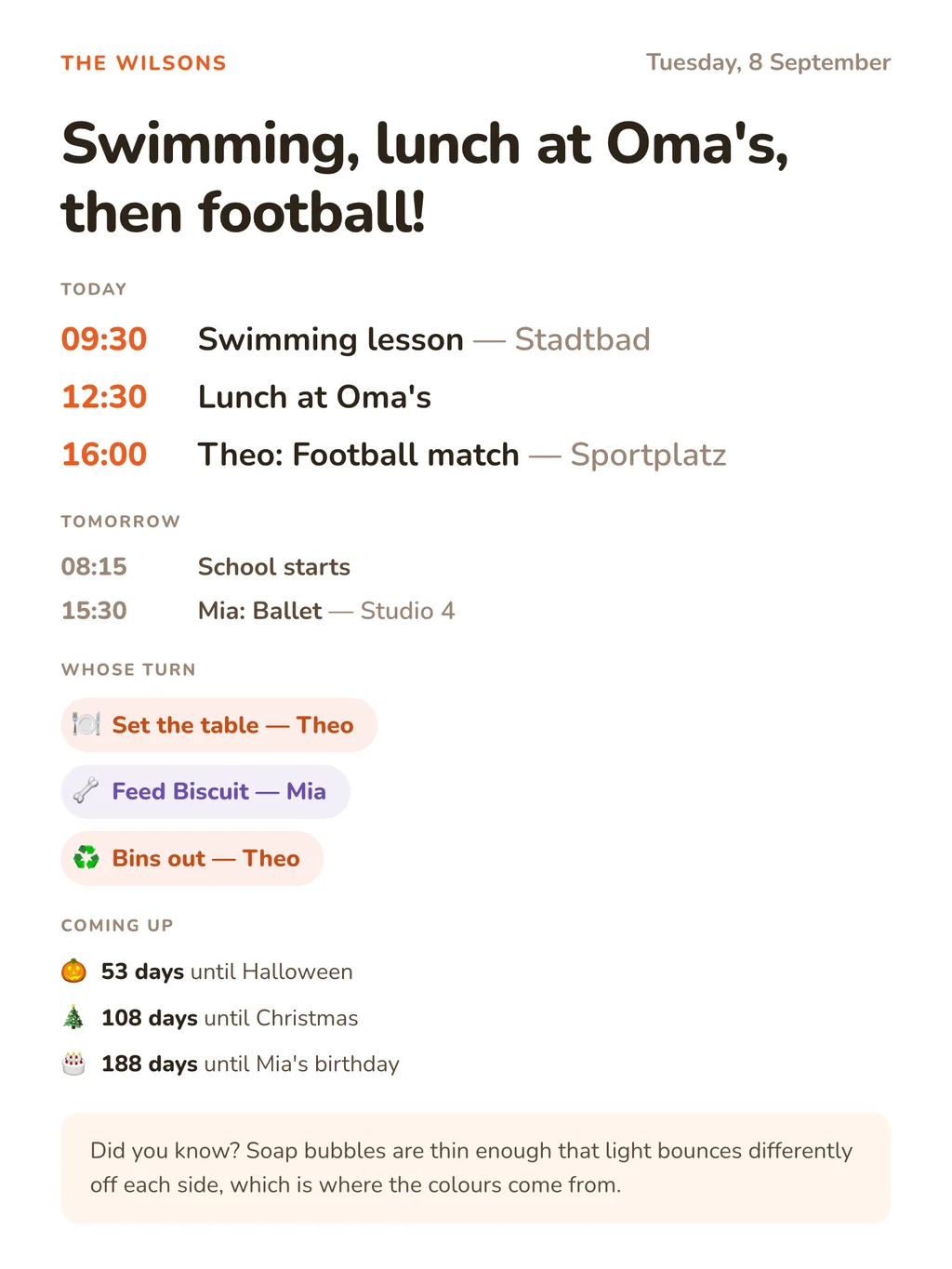
DinkyDash is open-source software that turns that tablet into a family dashboard. It's free to run yourself, or $39 a year if we host it:
- Today's events, merged from every calendar you add: Google, iCloud, Outlook and Cozi each publish a link, and each has its own page here with the steps.
- A chore chart that rotates, moving on one person a day by itself.
- Countdowns to birthdays, Christmas and the school holidays.
- A headline, written fresh each day by Claude, around your family's actual day.
It's MIT licensed with no subscription for the self-hosted version. The one running cost is the headline — a Claude API call once a day, roughly $0.13 a month — and the dashboard works without it.
Other screens
- iPad — the best cheap always-on panel
- Android tablet — the same, cheaper second-hand
- Raspberry Pi — the tidiest permanent panel, about $150
- Smart TV — Samsung and LG have their own browsers
- Fire TV — for the living-room television
Start here
The setup guide covers the whole thing: getting DinkyDash running, adding your calendars, and pointing a screen at it. The code is on GitHub under an MIT licence.
Rather skip the setup? Start a free 14-day hosted trial, no card required.
Last updated 2026-10-09.