DAKboard Alternatives in 2026: 6 Options, Including a Free Open-Source One
DAKboard has been the go-to wall display for tinkerers for years, and it earned that. But plenty of people go looking for something else — usually because the free tier is tighter than expected, because they want the source, or because they want a family calendar rather than a general-purpose dashboard.
This page compares six alternatives on the things that actually decide it: what it costs, whether you can self-host it, and whether it is open source.
Quick comparison
| Alternative | Software cost | Hardware | Self-hosted? | Open source? |
|---|---|---|---|---|
| DinkyDash | $0 self-hosted; hosted trial free, then $39/yr or $6/mo | Bring your own | Yes | Yes (MIT) |
| MagicMirror² | $0 | Bring your own | Yes | Yes (MIT) |
| Home Assistant | $0 | Bring your own | Yes | Yes (Apache 2.0) |
| Mango Display | Free tier; Pro $5.99/mo | Bring your own | No | No |
| Skylight Calendar | Optional $79/yr | $299.99–$599.99 | No | No |
| Hearth Display | $86.40/yr required | $699 | No | No |
| DAKboard, for reference | Free tier; $5–10/mo | Bring your own, or their CPU from $99.95 | No | No |
Prices checked 9 October 2026. Always confirm current pricing before buying.
Why people look for a DAKboard alternative
Three reasons come up repeatedly, and they point at different replacements.
The free tier is narrower than it looks. DAKboard's free plan gives you one predefined screen and two calendars, with predefined layouts only, DAKboard branding on the screen and a 60-minute calendar refresh. Custom layouts — the thing DAKboard is known for — start on Essential at $6/month, or $5/month billed annually. Plus is $10/month, or $8/month annually, and that is where unlimited calendars and 15-minute refreshes live.
It is not open source. You can run the display on your own Raspberry Pi, which reads like self-hosting, but the service runs on DAKboard's servers and the source is not published. If your reason for building a wall display was keeping the family's schedule on your own hardware, that is the wrong shape.
It's a dashboard first, a family organiser second. DAKboard does now market a chore chart — a column per family member, one tap to check something off, points that convert into rewards you set, and a child lock so siblings can't clear each other's lists. It is on Essential and Plus, not the free tier. But the product underneath is still a way of arranging many data sources on one screen, so "whose turn is it to feed the dog" means pointing a general tool at a specific job.
1. DinkyDash — open source, free to self-host or $39 a year hosted
Full disclosure: DinkyDash is our project, so treat this entry accordingly — the rest of the page is written to be useful whether or not you pick it.
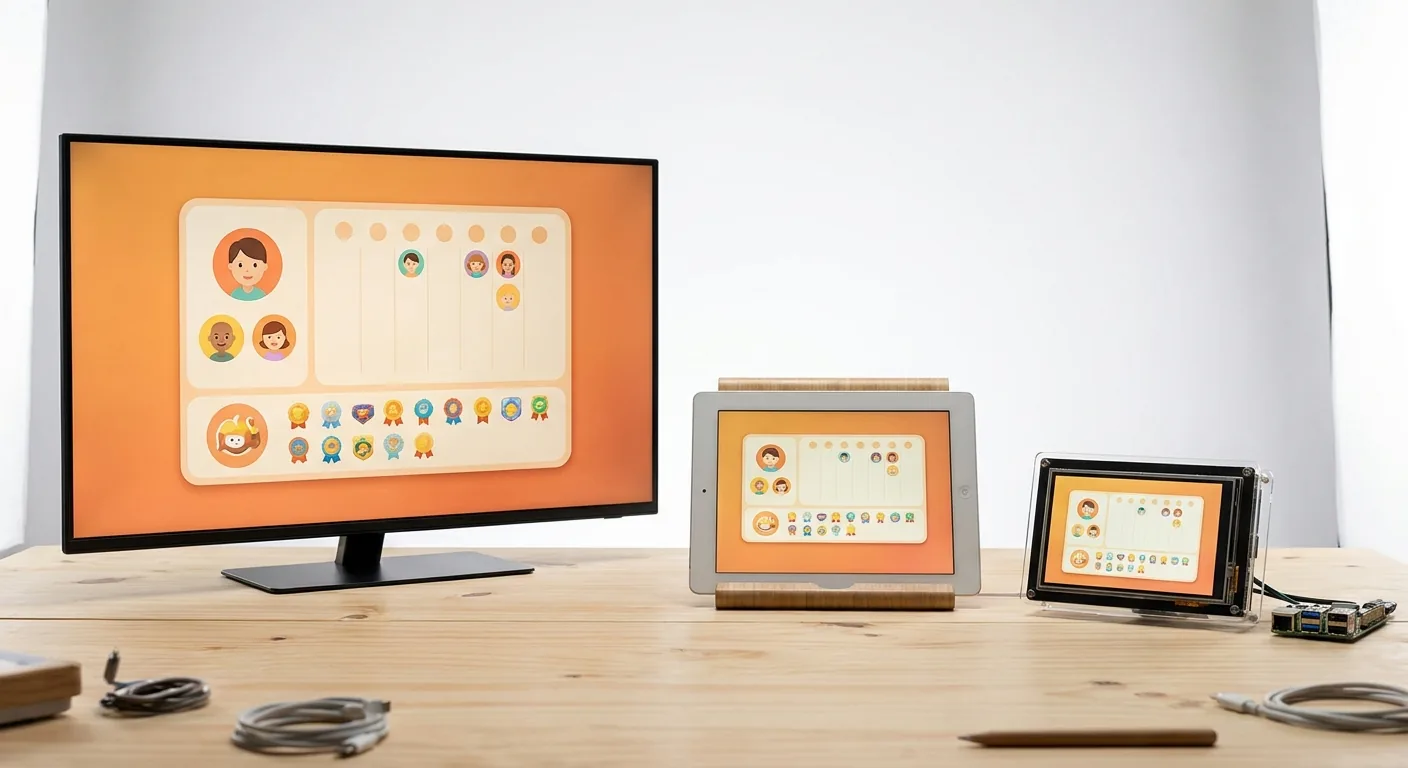
DinkyDash turns any TV, tablet, Raspberry Pi or spare monitor into a family calendar. It shows today's events from any iCal link, a chore chart that rotates between kids automatically, countdowns to birthdays and holidays, and a daily headline written by AI, fresh every day — a greeting written around your family's actual day. No other option on this page does that last one.
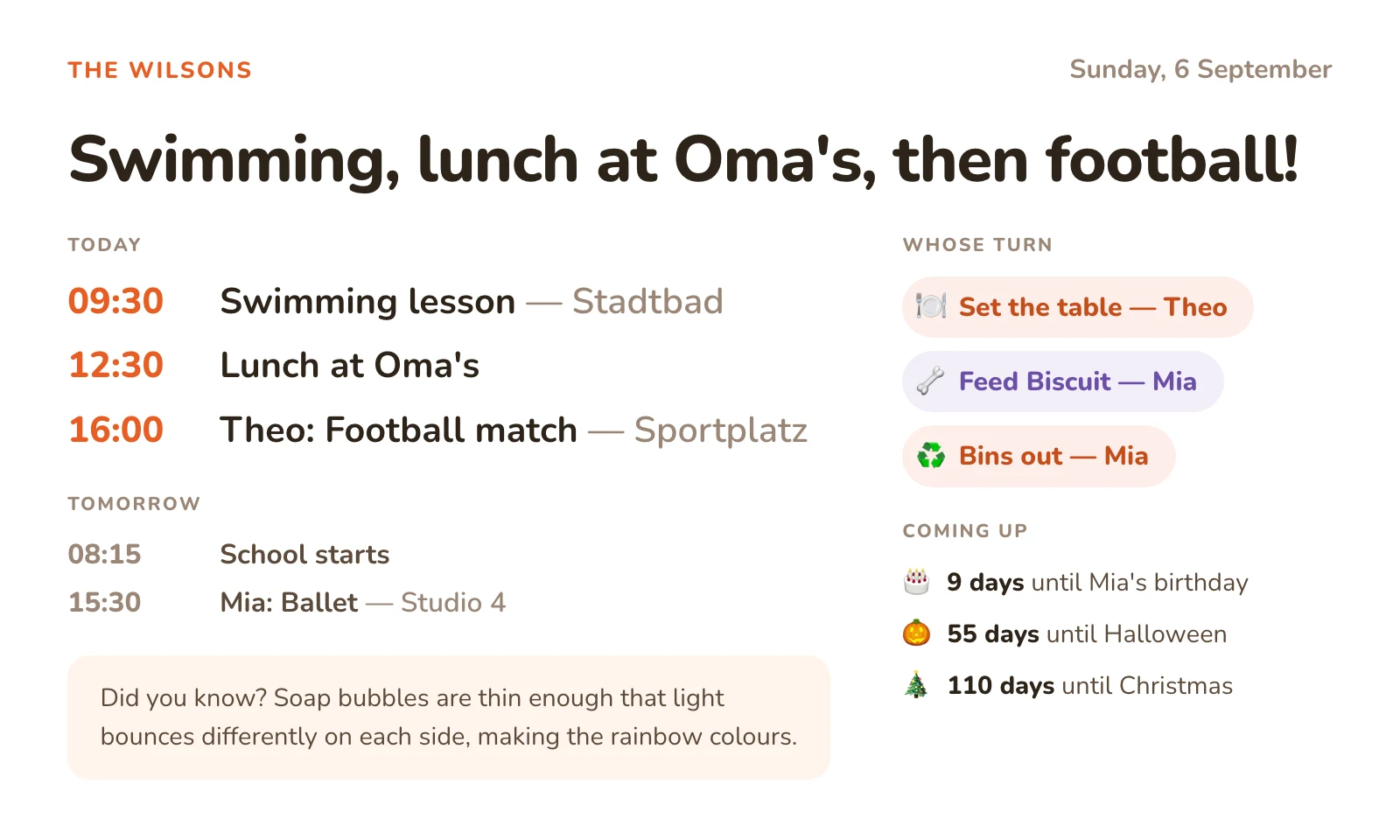
It is MIT-licensed, and self-hosting it is free forever, with no paid tier and no screen limit. Run it yourself and your config — names, birthdays, calendar links — stays on your own machine. To be precise about the one thing that does leave: the day's agenda is sent to Anthropic once a day to write the headline. You can try the whole thing without an API key first — there is a no-key preview in the setup guide — but the daily headline is the part that needs one.
The trade-off is real: self-hosting means an afternoon and some comfort with a terminal. Our getting started guide has copy-paste commands. The only running cost is your own Anthropic key for the daily headline — about $0.13 a month, and well under $1.
You can also start a free 14-day hosted trial, with no card required. After that it's $39 a year or $6 a month, and nothing is charged unless you choose to subscribe.
Best for: families who want the source and a calendar that is already family-shaped out of the box — free if you run it yourself, cheap if you would rather not.
2. MagicMirror² — the open-source module platform
MagicMirror² is the other big open-source name in this space, MIT-licensed and built around a large community module ecosystem. Calendar, weather, transit, news, photos — if somebody wanted it on a wall, a module probably exists.
It is the closest thing to DAKboard in philosophy: a general display you compose yourself. That also means it asks more of you than DinkyDash does, because a fresh install is a blank frame and the useful part is choosing and configuring modules. It runs happily on a Raspberry Pi and has done for years.
Best for: tinkerers who want DAKboard's flexibility with none of the subscription, and enjoy the configuring.
3. Home Assistant dashboards — if you already run it
If you already have Home Assistant for smart-home things, you already have a dashboard engine. A wall-mounted tablet pointed at a custom Lovelace dashboard gives you calendars, weather, and every sensor in the house on one screen, free and entirely on your own hardware.
If you don't already run Home Assistant, installing it to get a wall calendar is a large detour.
Best for: households already running Home Assistant, who want one more panel rather than one more service.
4. Mango Display — polished, no DIY, but check the free tier
Mango Display is the commercial bring-your-own-screen option: install their app on a Fire TV, smart TV or tablet and it renders a calendar-centric display. It is genuinely more polished than a self-hosted setup, and there is no setup work at all.
One thing worth knowing before you sign up: the free plan does not include the calendar. It gives you two screens with a clock, weather, news headlines, background images and quotes. Calendars — along with chores, meal plan and photo widgets — start on Pro at $5.99/month, or $59.99/year.
Best for: people who want zero setup and are happy paying for it.
5. Skylight Calendar — buy the screen too
If the real answer is that you want a finished object on the wall rather than a project, Skylight sells the hardware: $299.99 for the 15″ Calendar 2, $599.99 for the 27″ Calendar Max, with an optional Plus subscription at $79/year for chore rewards and meal planning.
It is the opposite trade to DAKboard — you spend money instead of time, and you get a touchscreen your family can actually tap. If those two are the ones you are weighing up, we put them head to head in DAKboard vs Skylight vs DinkyDash. See also our Skylight alternatives page for the wider comparison, or the subscription breakdown for what Plus actually costs.
Best for: people who would rather buy the problem away.
6. Hearth Display — routines rather than dashboards
Hearth's 27″ portrait display ($699 plus a required membership at $9/month, or $86.40 billed annually) is built around routines and visual schedules rather than data panels, and is popular with ADHD and neurodivergent families. It is the most expensive option here over three years, and the least like DAKboard — which for some households is the point. Our Hearth vs Skylight comparison goes into it.
Best for: families whose problem is mornings, not information.
What three years actually costs
Software only, assuming you already own a screen. Annual billing where offered.
| Three-year software cost | |
|---|---|
| DinkyDash (self-hosted) | ~$5 — your own Anthropic key for the daily headline, about $0.13/month |
| MagicMirror² / Home Assistant | $0 |
| DinkyDash (hosted) | $117 at $39/year |
| DAKboard Essential | ~$180 |
| Mango Display Pro | ~$180 |
| DAKboard Plus | ~$288 |
| Skylight Calendar Max + Plus | ~$837 |
| Hearth Display | ~$958 |
Where DAKboard is genuinely better
A comparison page that only flatters its own product is not worth reading, so:
- Layout control. DAKboard's custom layouts and CSS styling go further than anything here except MagicMirror², and unlike MagicMirror² you get there by dragging rather than by editing config files.
- Breadth of data sources. Calendars, photos, weather, news, sports, stocks, smart-home feeds. DinkyDash does a family's day and nothing else, on purpose.
- Official hardware. Their CPU (from $99.95) plugs into any TV and is genuinely plug-and-play. Self-hosting means you own the boot problems.
- It just works. There is a company, a support queue and an uptime record. DinkyDash self-hosting is community-supported, which is a polite way of saying you are the support queue.
- Multiple screens. If you want a display in the kitchen and another in the office showing different things, DAKboard is built for that. DinkyDash is built for one family dashboard.
If those matter more than price or source, stay where you are. That is a reasonable answer.
Which one should you pick?
- Want $0, the source code, and a family calendar that works out of the box: DinkyDash, self-hosted
- Want DAKboard's flexibility for free, and enjoy configuring things: MagicMirror²
- Already running Home Assistant: add a dashboard, don't add a service
- Want the same dashboard without the terminal: start a free 14-day hosted trial — no card required
- Want zero setup today, and will pay for it: Mango Display Pro — budget for Pro, not the free tier, which has no calendar
- Want a finished touchscreen on the wall: Skylight, or Hearth if mornings are the problem
- Want maximum layout control with support behind it: stay on DAKboard
Not sure a wall display is worth it at all? Prop an old tablet on the counter for two weeks first — our DIY guide explains why that test is worth more than the hardware decision.
Last updated 2026-11-04.