A Family Calendar on Fire TV (No App to Install)
There's no good family calendar app for Fire TV. There is, though, a browser — Amazon's own Silk, free in the same app store — and a web-based calendar dashboard opens in it with nothing else to install.
So: yes, you can put your family's day on the television, and the only thing you install is a browser. The honest limit is at the bottom of the page.
What you need
DinkyDash is a web page, not an app. So there are two parts:
- Something to serve it. A Raspberry Pi or an old computer on your Wi-Fi — free, MIT licensed, and about an evening's work. Or start a free 14-day hosted trial, no card required.
- The Fire TV, which is the screen. Silk opens that address.
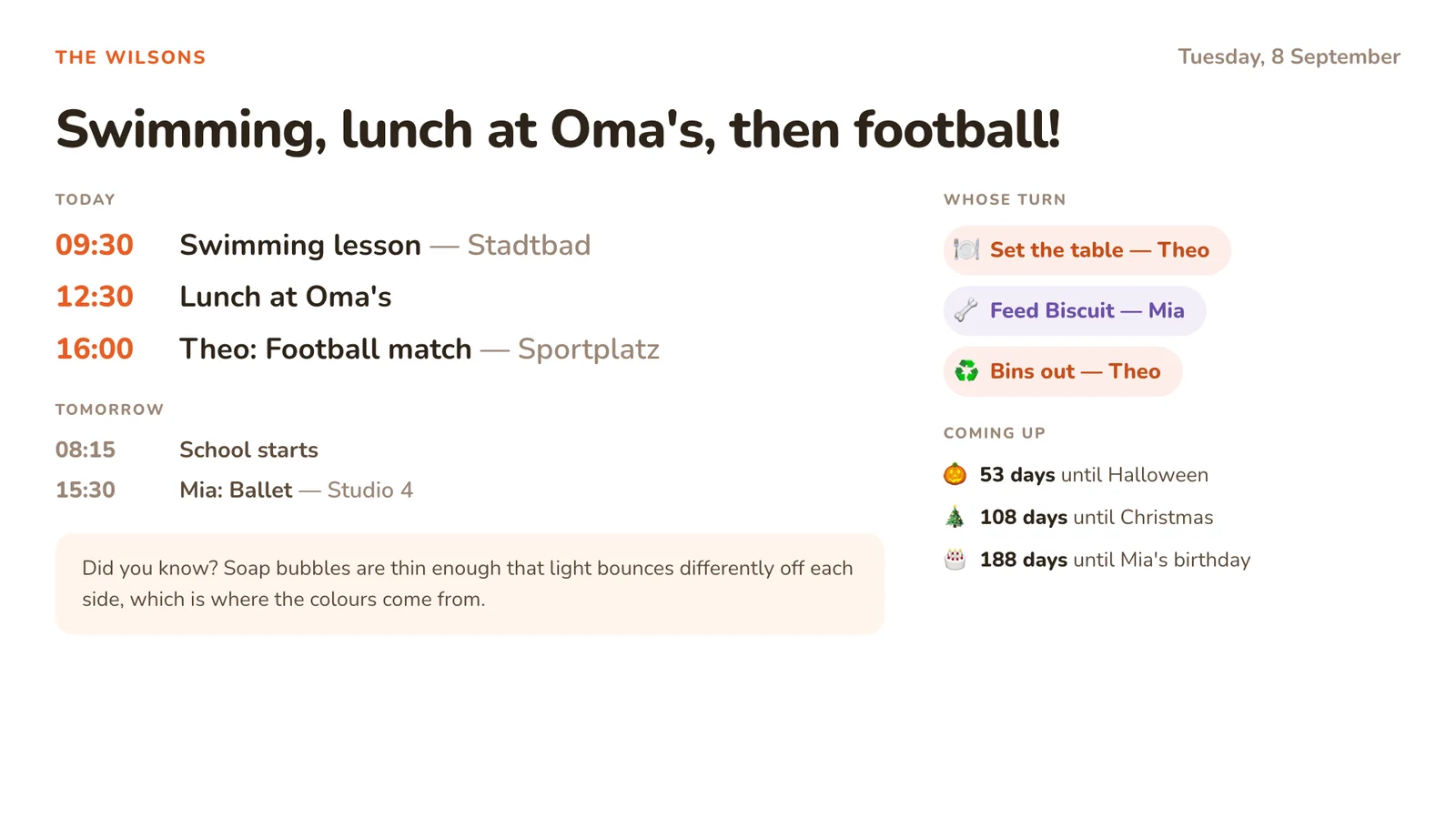
On a 16:9 television the dashboard splits into two columns by itself and sizes its own type to the screen. Nothing needs configuring for a particular set.
Set it up
1. Install Silk. From the Fire TV home screen, go to Find → Search, type or say "Silk", pick Amazon Silk and choose Download. It's free and it's Amazon's own, so there's no sideloading and no developer mode.
2. Type the address, once. If we host it, that's the screen link under Settings → The screen: app.dinkydash.co/s/ and twelve characters, with no letters that are easy to confuse. If you run it yourself, it's the address of the machine serving it on your network, something like http://192.168.1.50:5000.
Typing that on an on-screen keyboard with a remote is the worst minute of this whole setup.
Two ways round it:
- Hold the voice button on the remote and dictate the address. Silk supports Alexa input.
- Use the Fire TV phone app, which turns your phone into a remote with a real keyboard.
3. Bookmark it. Silk opens on its bookmarks, so after this the dashboard is two clicks from the home screen and you never type the address again.
4. Push the screensaver out. Settings → Display & Sounds → Screensaver → set Start after to its longest value. This doesn't remove the screensaver, only delays it.
The honest limit
A Fire TV stick is a streaming device plugged into a television, and both halves of that fight an always-on calendar:
- The Fire TV screensaver comes back. You can push it out, not switch it off.
- The television has its own power saving, and on an OLED set the panel dims or shifts a static image on purpose, because it can burn in.
- A television is in the living room. A family calendar earns its keep in the kitchen or the hall, where people pass it on the way out of the door.
So the fair summary: a Fire TV is a good way to put today on the big screen for a few minutes — over breakfast, or while the football is loading — and the wrong device to leave it on all day. If what you want is a panel that never goes off, an old tablet or a Raspberry Pi does that job properly, and costs less than the television does.
If your TV already has its own browser, you may not need the stick at all — see smart TV calendar display for Samsung and LG.
What ends up on the screen
- Today's events, merged from every calendar you add: Google, iCloud, Outlook and Cozi each publish a link, and each has its own page here with the steps.
- A chore chart that rotates, moving on one person a day by itself.
- Countdowns to birthdays, Christmas and the school holidays.
- A headline, written fresh each day by Claude, around your family's actual day.
The dashboard refreshes itself every five minutes, and if the Wi-Fi drops it keeps the last dashboard on screen with a small "Reconnecting" note rather than an error page. The script that does it's written for old browsers, and one too old for it, or with JavaScript switched off, falls back to a plain HTML refresh. That matters on a TV stick, where the browser is the least capable one in the house.
What it costs
Nothing beyond the Fire TV you already own. Silk is free, DinkyDash is free and MIT licensed with no subscription for the self-hosted version, and the only running cost is the daily line — a Claude API call once a day, roughly $0.13 a month, and the dashboard works without it.
Other screens
- Smart TV — Samsung and LG have their own browsers
- iPad — the best cheap always-on panel
- Android tablet — the same, cheaper second-hand
- Raspberry Pi — the tidiest permanent panel, about $150
- Echo Show — the one that doesn't work, and why
Start here
The setup guide covers the other half: getting DinkyDash running, adding your calendars, and pointing a screen at it. The code is on GitHub under an MIT licence.
Rather skip the setup? Start a free 14-day hosted trial, no card required.
Last updated 2026-10-09.